Download ScholarGen
UTME App
from
Google PlayStore

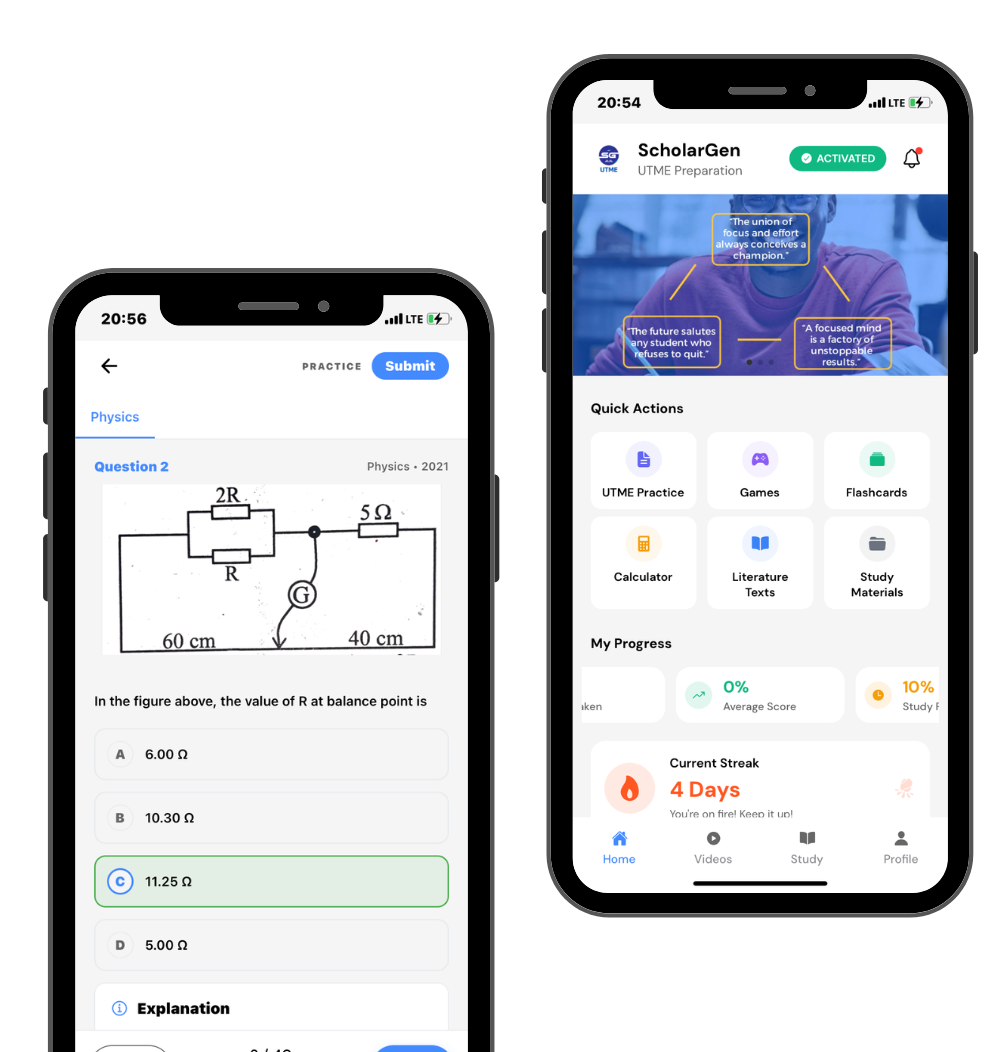
Install the ScholarGen App from Playstore and get access to over 50,000+ past questions and solutions for all UTME subjects
Official Google Play
Direct Install
ScholarGen App Play Store

How to Download the
ScholarGen App

The ScholarGen app is currently in Early Access. Choose your platform below for installation instructions.
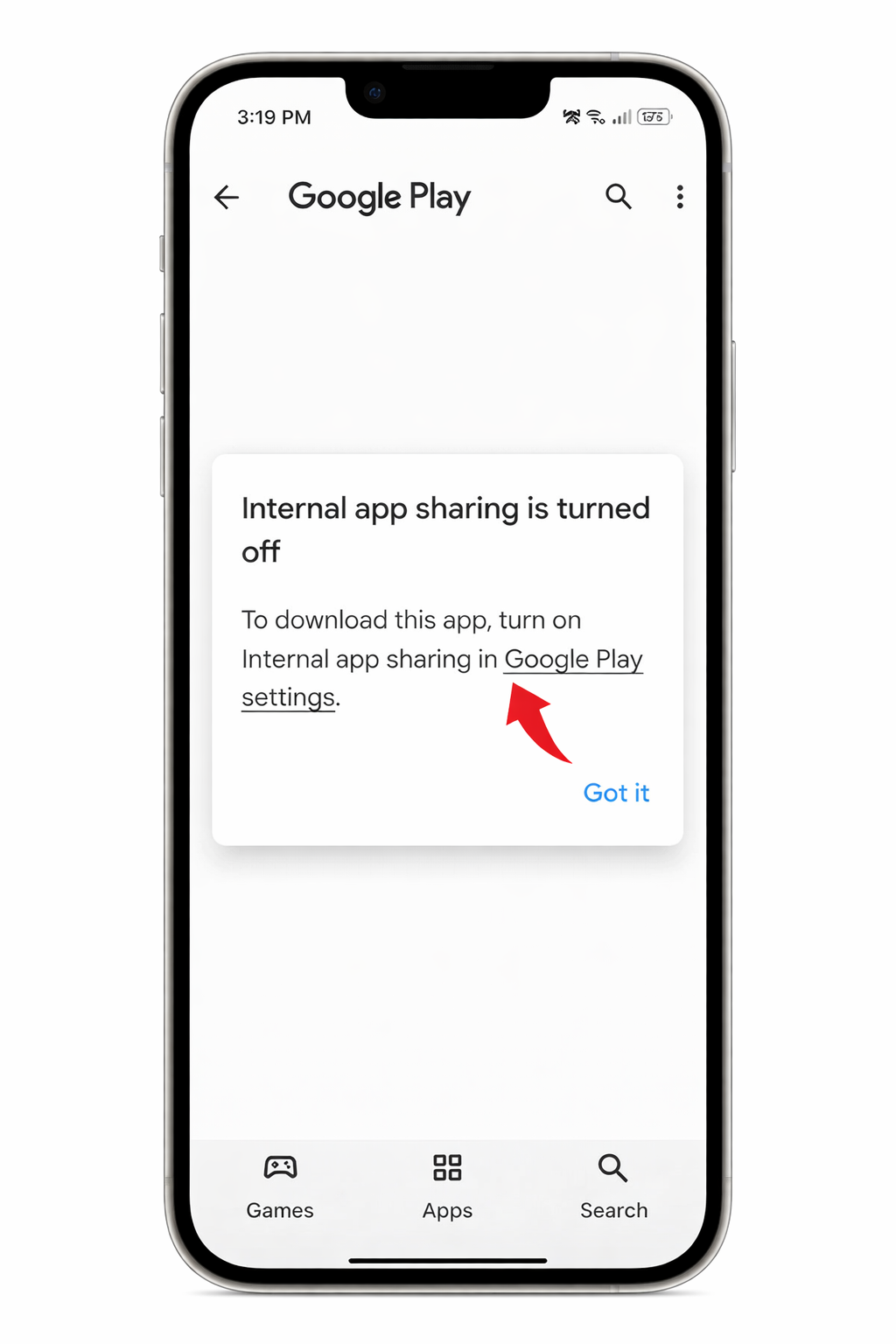
Step 1
Tap on the Google Play Settings
Step 1: Google Play Settings
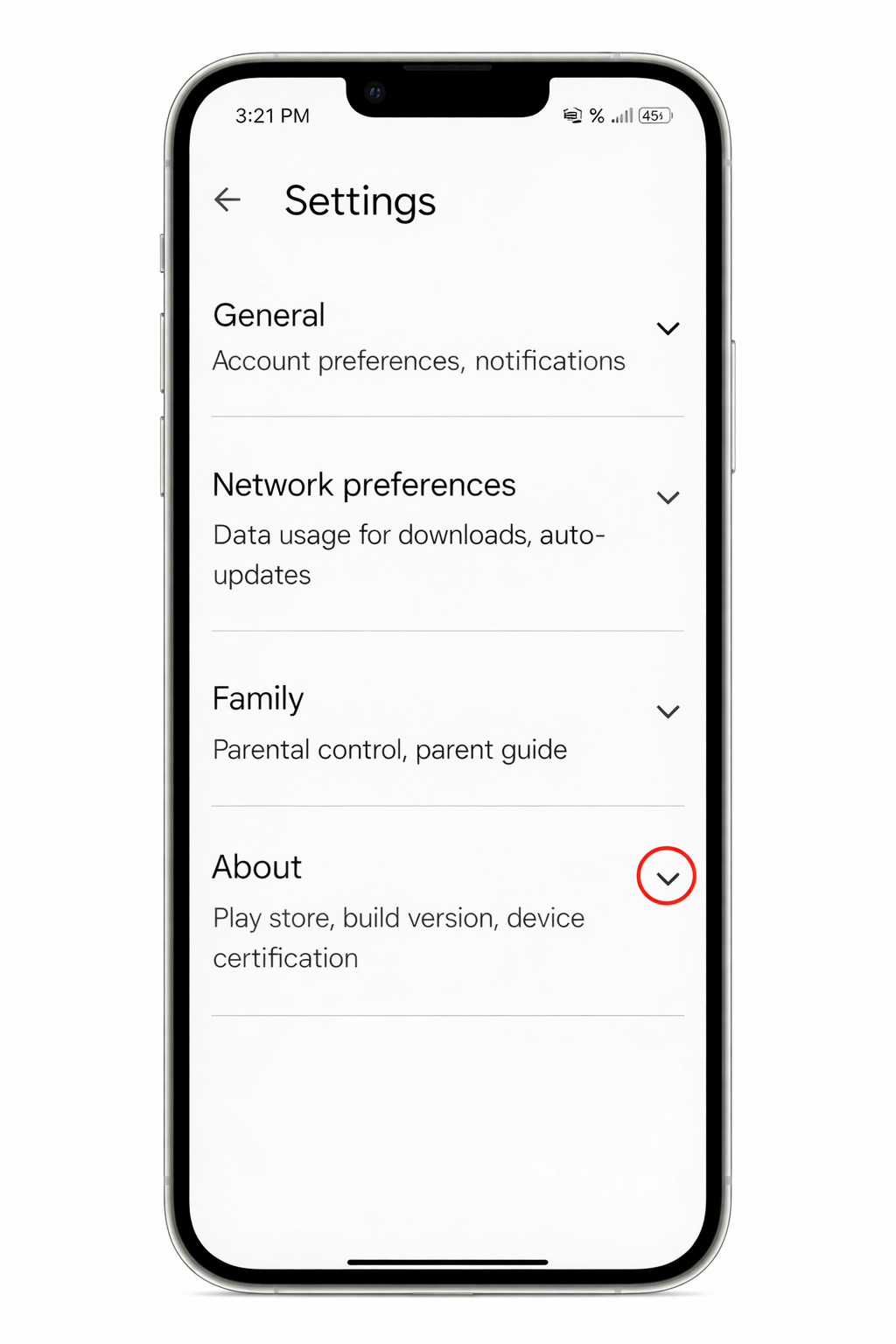
Step 2
Click the drop down icon for the About section
  • In the Settings menu, locate the About section at the bottom.
  • Click the drop down icon to expand it.
Step 2: About Section
Step 3
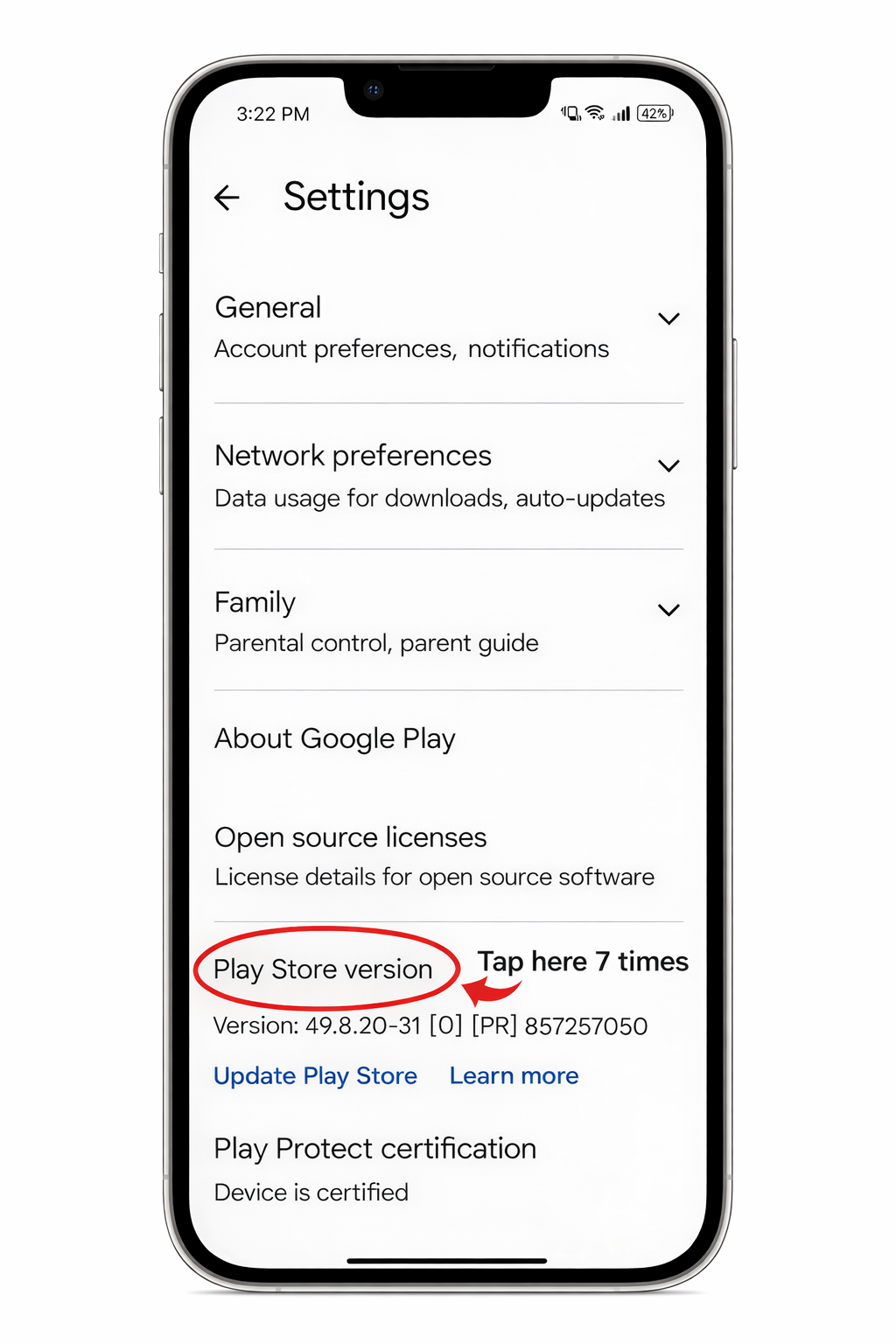
Tap on Play Store Version 7 times
  • Find Play Store version under the About section.
  • Tap it quickly 7 times.
  • You will see a message: "You are now a developer!"
Step 3: Tap Version
Step 4
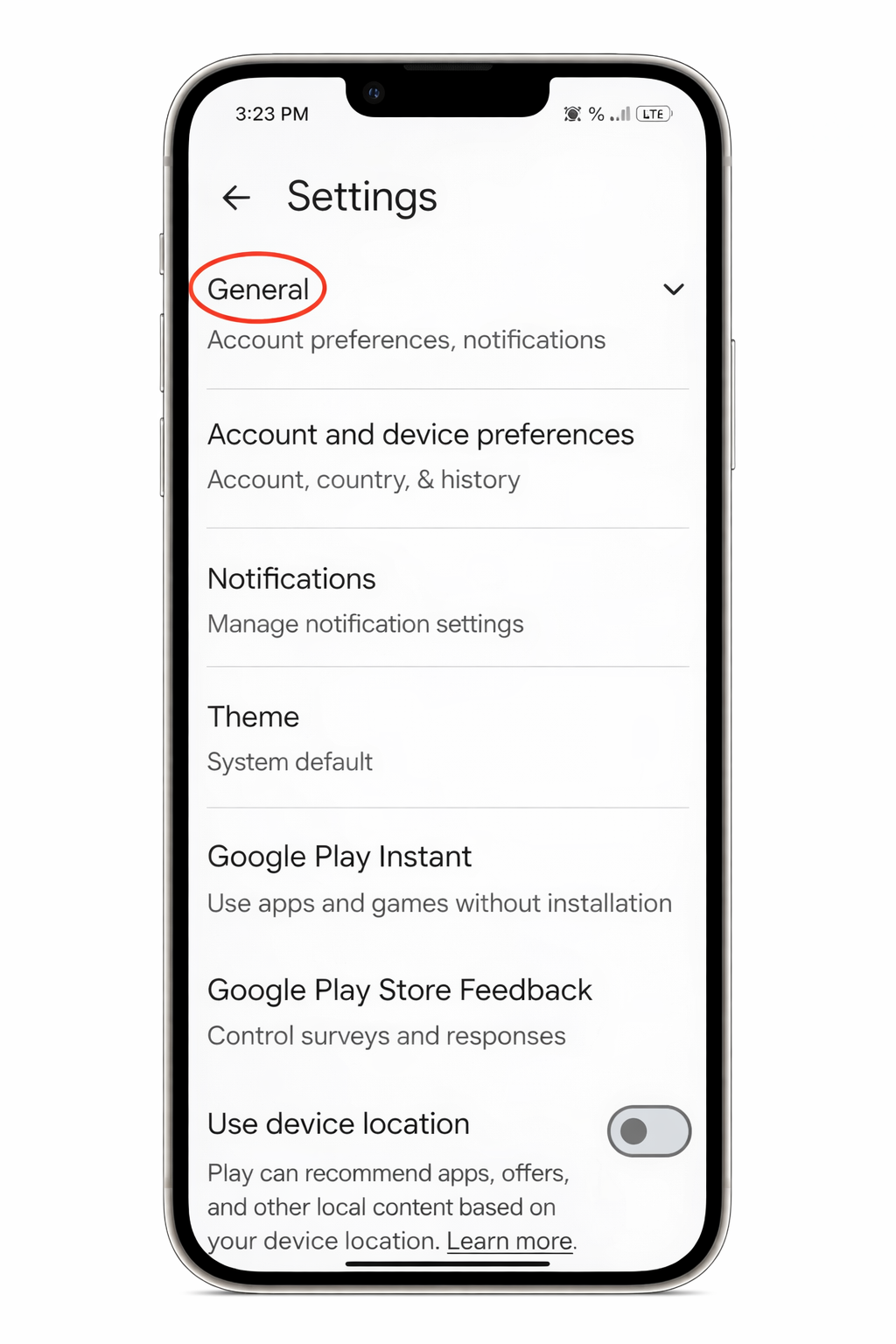
Click on the dropdown icon for Generals
  • Scroll back up to the top of Settings.
  • Click the drop down icon for General.
  • This will reveal a list of general settings.
Step 4: General Settings
Step 5
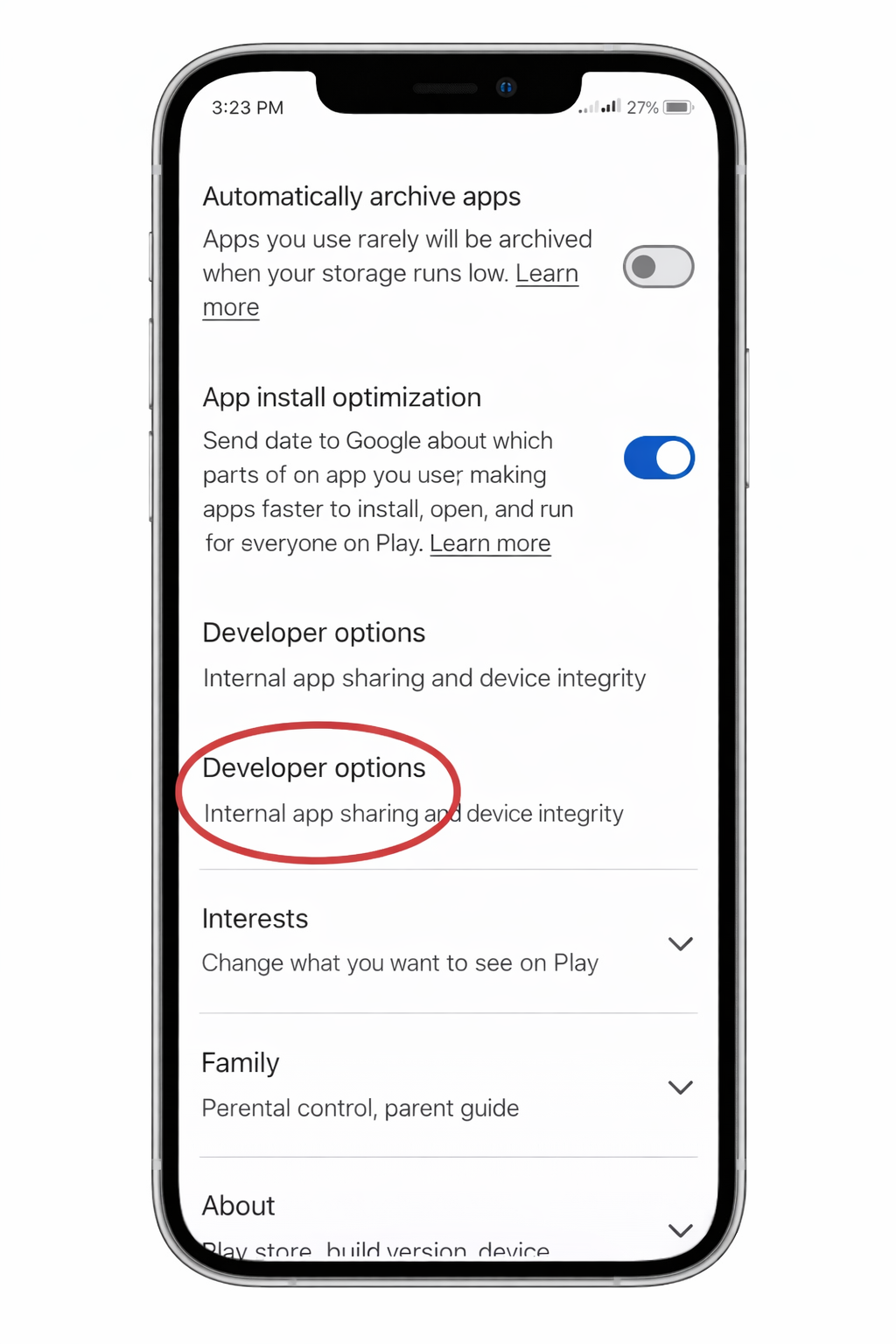
Click on Developer options
  • In the General list, find and tap on Developer options.
Step 5: Developer Options
Step 6
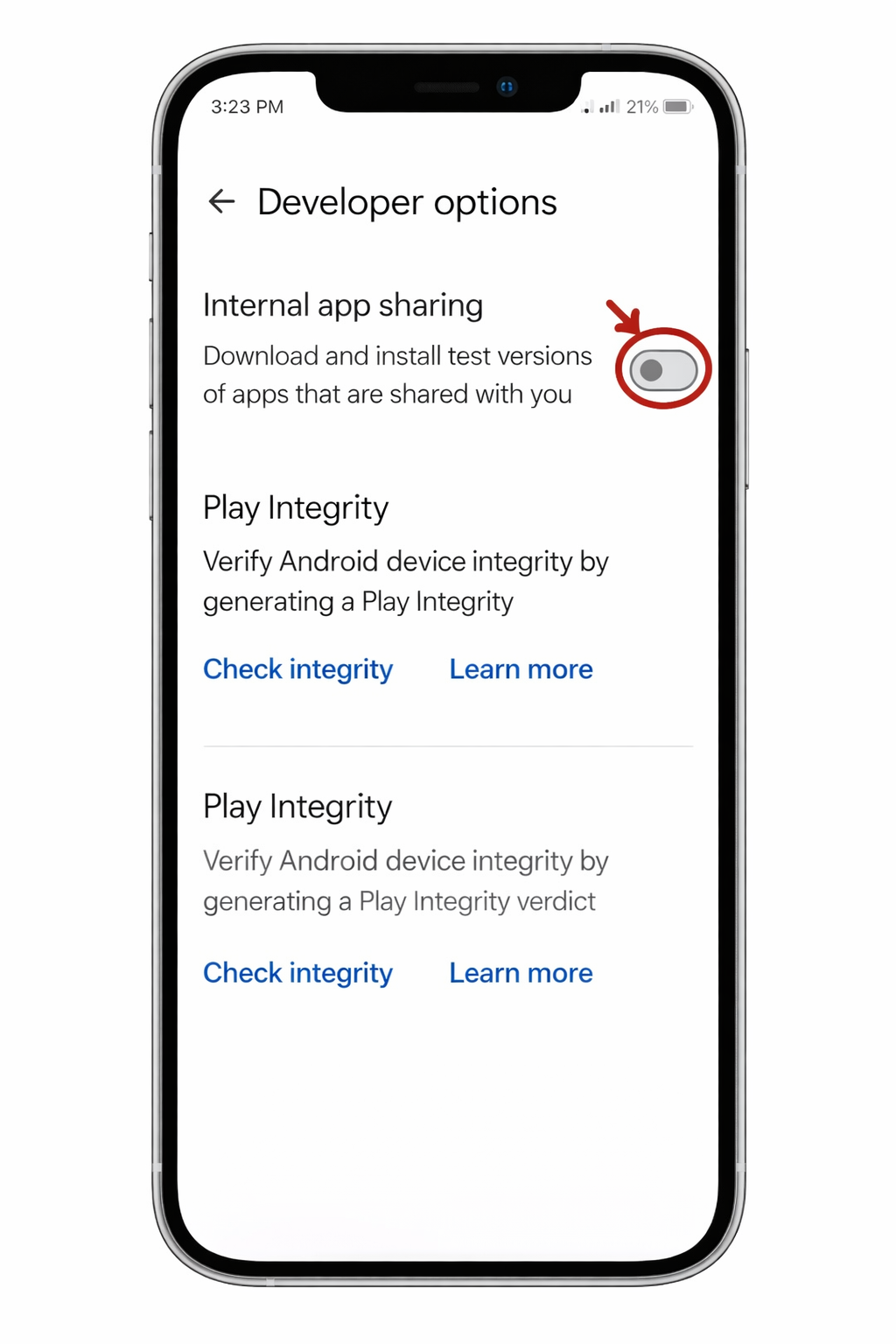
Turn on Internal app sharing
  • Locate the Internal app sharing switch.
  • Toggle it ON to enable installation.
Step 6: Toggle On
Step 7
Click the Install button to download the app
  • Return to the download link.
  • Click Install or Update.

Congratulations, you've sucessfully install the ScholarGen app as an internal tester from Google PlayStore.
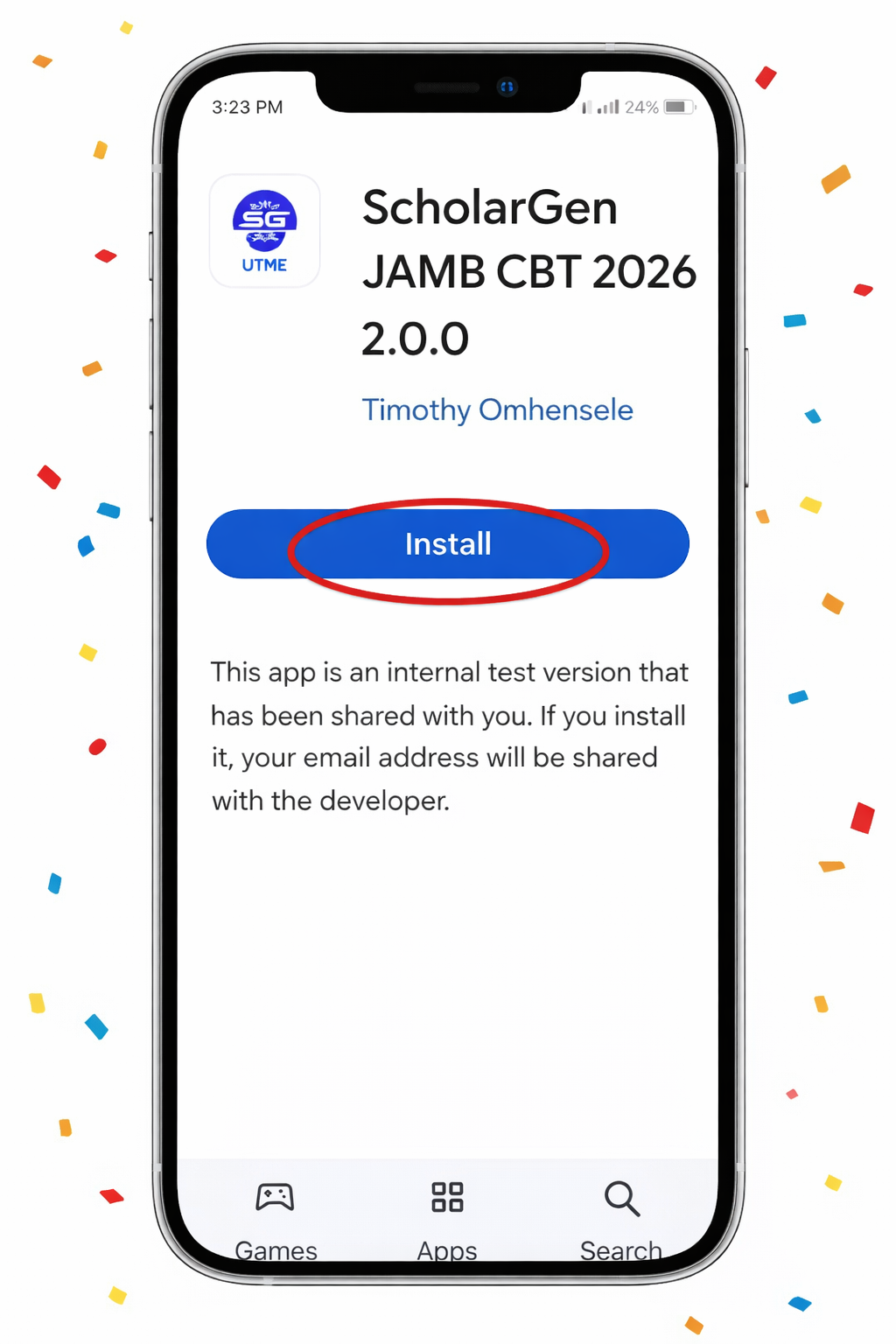
Step 7: Install App

Watch the Installation Guide

Step 1
Visit our Expo Go to download it
  • Click on this link: Expo Build Link
  • This will open the Expo download page for the ScholarGen app.
Step 2
Enable Developer Mode
  • Go to Settings on your iPhone.
  • Navigate to Privacy and Security.
  • Scroll down to find Developer Mode.
Step 3
Toggle Developer Mode and Enable
  • Click on Developer Mode.
  • Toggle the switch to ON.
  • Click Enable when prompted.

Congratulations! You now have access to the ScholarGen app on iOS.

❗ If It Doesn’t Work

Internal Sharing Off?

Make sure you successfully turned ON Internal app sharing in Step 5.

Not Logged In?

Make sure you’re logged into Google Play Store with your Google account.

Still Failing?

Restart Google Play Store (app info -> force stop) and try the link again.

🔄 Updates

You’ll get updates automatically through Google Play using the same link.